NemoVideo – An AI video editing tool for creating viral videos with one click
What is NemoVideo?
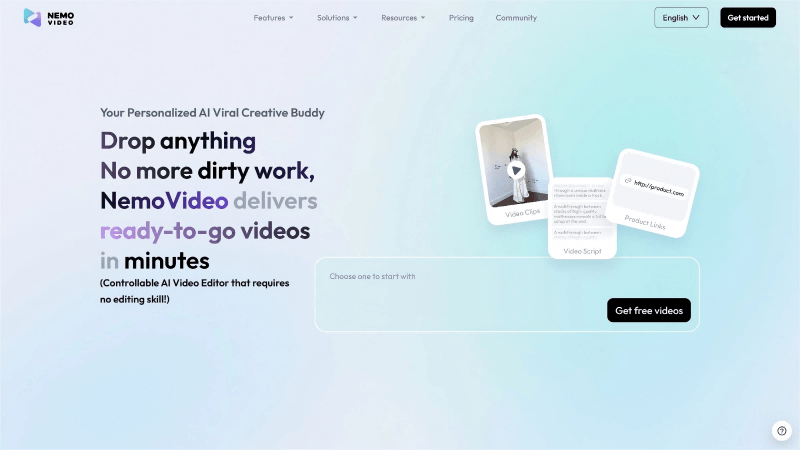
NemoVideo is an AI-powered video editing tool designed for creators. It uses AI to automate editing tasks such as removing silence and adding subtitles, and it can generate creative briefs and scripts based on user input to help produce viral videos quickly. The tool primarily targets overseas e-commerce creators and freelance video editors, solving the tension between high production demands and limited budgets. NemoVideo also aims to build a community of video-production agents, allowing creators to build their own customized agents to enhance productivity and monetize their creative work.
Key Features of NemoVideo
1. Smart Editing:
Automatically handles essential editing tasks such as removing silence and adding subtitles, and supports cinematic filters, animated stickers, and other visual effects.
2. Creative Generation & Script Planning:
Generates creative briefs based on user input and analyzes viral videos to create optimal script structures.
3. Intelligent Audio Processing:
Automatically adds background music or voiceovers that match the video content and supports speech synthesis.
4. One-Click Subtitles:
Quickly generates subtitles with a variety of popular styles and dynamic effects.
5. Talking-Head Video Editing:
Adds intelligent B-roll and voice-matched visuals to optimize talking-head videos.
6. Smart Clip Selection:
Automatically removes ineffective footage from raw materials and selects the best shots.
7. Multi-Platform Adaptation:
Exports videos in formats optimized for TikTok, YouTube, and other platforms with one click.
8. AI Viral-Style Editing:
Extracts key elements from viral videos to help users rapidly create videos with viral potential.
How to Use NemoVideo
1. Upload Materials:
Visit the official website at https://www.nemovideo.com/ and click the upload button to import video clips, scripts, or other assets.
2. Select a Feature:
Choose features such as smart editing, creative generation, or one-click subtitles based on your needs.
3. Enter Instructions:
Input simple commands—such as “add subtitles” or “generate creative brief”—to specify what you want to create.
4. AI Processing:
NemoVideo will automatically complete tasks like editing, script generation, or effect creation based on your instructions, with no manual editing required.
5. Preview & Adjust:
Preview the generated video and adjust details or re-enter instructions if further optimization is needed.
6. Export Video:
After completing the edits, select your desired format and export a video optimized for multiple platforms with a single click.
Application Scenarios of NemoVideo
• E-commerce Content:
Helps sellers quickly produce product showcase videos. Smart editing and creative generation enhance video appeal and drive sales.
• Content Creation:
Provides efficient editing capabilities for freelance editors and independent creators, enabling fast production of high-quality videos for daily posting.
• Brand Marketing:
Supports brands in producing viral marketing videos by analyzing popular trends and generating creative scripts to boost exposure and engagement.
• Social Media:
Optimizes videos for platforms like TikTok and YouTube, helping creators publish platform-ready content more efficiently.
• Personal Vlogs:
Simplifies vlog creation by automatically cutting highlights and adding subtitles and effects, making personal life recordings more engaging.
© Copyright Notice
The copyright of the article belongs to the author. Please do not reprint without permission.
Related Posts


No comments yet...