
GHOST – An AI-native PPT generation tool that automatically creates content and structure
What is GHOST?
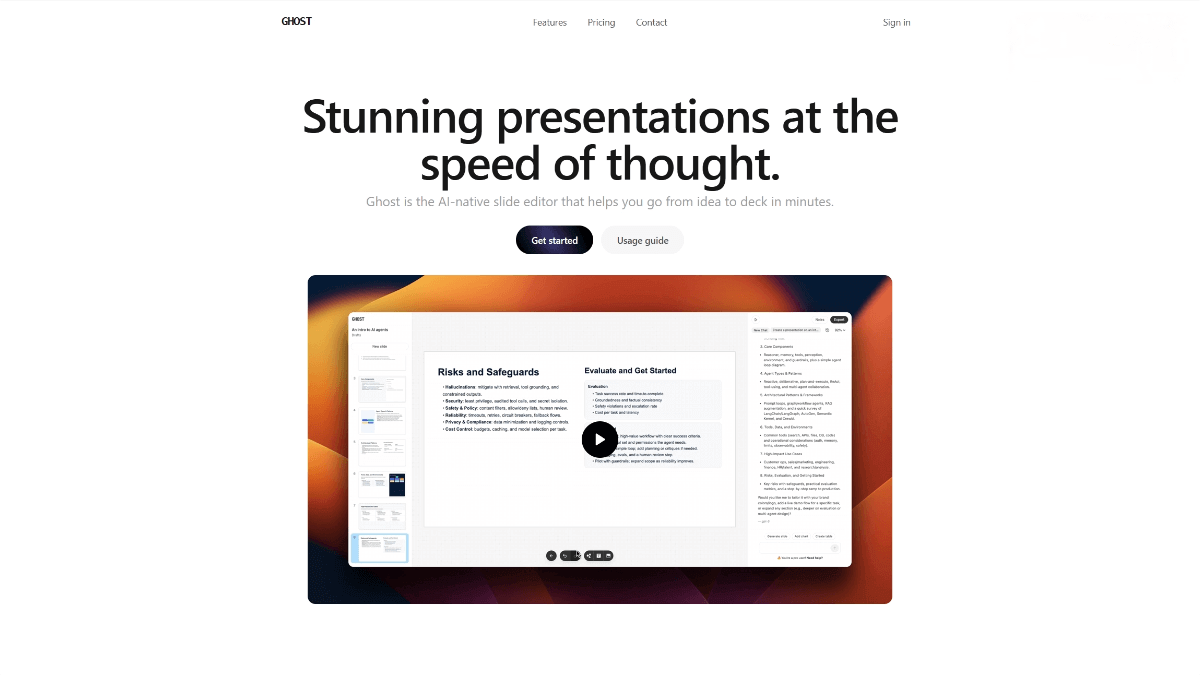
GHOST is an innovative AI-native slide editing tool designed for users who value efficiency and simplicity. Powered by advanced AI technology, it can quickly transform user ideas into complete presentations, significantly reducing creation time. GHOST features an intuitive and easy-to-use interface that requires no complex learning curve. With GPU-accelerated performance, it ensures smooth, lag-free editing. Whether preparing a presentation for work or collaborating within a team, GHOST is an ideal choice for boosting productivity and unleashing creativity.
Main Features of GHOST
AI Generation & Editing
With a built-in GPT-5 model, GHOST can generate slide content based on simple prompts and supports easy modification and optimization—no need to manually design complex structures.
Fast Editing Experience
Powered by GPU acceleration, GHOST provides a smooth editing workflow and supports keyboard shortcuts for improved efficiency.
Practical Editing Tools
Includes speaker notes, drag-and-drop slide sorting, presentation mode, and other features that support the full workflow from creation to final presentation.
One-Click Export
Supports one-click export to PDF and PNG formats with no watermarks, suitable for a wide range of presentation scenarios.
How to Use GHOST
-
Register & Log In:
Visit the official website at https://www.useghost.io/ and follow the instructions to create an account and log in. -
Create a New Presentation:
Click the “Create New Deck” button to start a new presentation. -
Generate Slides with AI:
Enter a topic or prompt, and the AI will automatically generate initial slide content and structure. -
Edit & Refine:
Use drag-and-drop, speaker notes, and design tools to modify and improve your slides. -
Export & Share:
Click “Export”, choose PDF or PNG, and export watermark-free slides for easy sharing.
Pricing Plans
Free Plan
Includes unlimited slides, GPU-accelerated editor, and basic creation/export features.
Starter Plan — $9.99 per user/month
Includes all Free Plan features plus:
-
20 GPT-5 Mini messages
-
20 GPT-5 Nano messages
-
3 GPT-5 messages
Pro Plan — $19.99 per user/month
Includes all Starter Plan features plus:
-
40 GPT-5 Mini messages
-
40 GPT-5 Nano messages
-
10 GPT-5 messages
Application Scenarios
Business Presentations
Quickly create professional slides for project proposals, product launches, and investor pitches.
Academic Reports
Prepare clear, professional slides for research presentations and academic conferences.
Education & Training
Effortlessly generate slides for lessons and online courses to enhance teaching effectiveness.
Team Collaboration
Supports collaborative editing for internal training and project updates, improving team efficiency.
Personal Branding
Create personalized resumes and promotional slides to highlight individual strengths.
© Copyright Notice
The copyright of the article belongs to the author. Please do not reprint without permission.
Related Posts


No comments yet...