Ito is an open-source AI speech-to-text tool that can convert spoken intents into text
What is Ito?
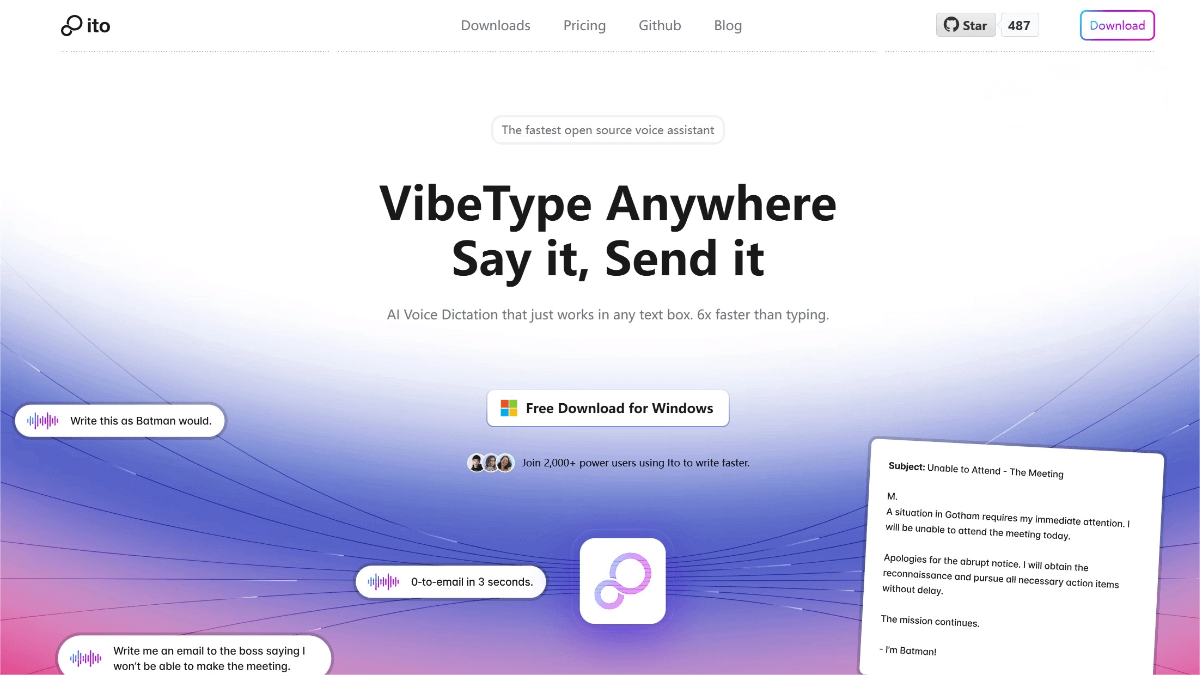
Ito is an open-source intelligent speech dictation tool that converts spoken intent into well-structured text through its unique “VibeTyping” technology. It works across email clients, documents, chat platforms, browsers, and code editors, offering customizable global keyboard shortcuts and instant text insertion. Ito automatically applies smart punctuation and context-aware formatting, supports multilingual transcription, and allows custom vocabularies with adaptive learning to improve accuracy over time. With a strong focus on user privacy, Ito supports local processing options, and its entire codebase is fully open-source.
Ito — Key Features
Universal Speech Dictation
Works in any application with customizable global shortcuts and instant text insertion for a seamless voice-to-text experience.
Context-Aware Formatting
Automatically applies intelligent punctuation and formatting based on context to match different writing scenarios.
Custom Vocabulary & Adaptation
Users can add custom terms; the system learns from usage patterns and becomes more accurate over time.
Multilingual Support
Supports real-time transcription in more than 100 languages for multilingual users.
Data Management & Sync
Built-in note system stores transcription content, with cross-device cloud sync and data export options for easy management.
How to Use Ito
-
Download & Install
Visit the official Ito website or GitHub page at ito.ai or github.com/heyito/ito, and download the version for your operating system (macOS, Windows). -
Launch the App
Open Ito after installation. On first use, you may need to configure basic settings such as language selection and shortcut keys. -
Start Dictation
Press your global shortcut or click the Start Dictation button in the app to begin voice input wherever text is needed. -
Customize Settings
Add custom vocabulary, adjust formatting rules, enable sync, and tailor other preferences in the settings panel. -
Use Voice Commands
Ito supports voice commands—for example, inserting punctuation or switching languages using spoken instructions. -
View History
Ito stores your dictation history, which can be viewed and managed directly within the app.
Ito Project Links
-
Official Website: ito.ai
-
GitHub Repository: github.com/heyito/ito
Use Cases for Ito
Document Writing
Quickly input text in word processors when writing articles, reports, or academic papers.
Email Drafting
Dictate email content rapidly—especially handy on mobile or during multitasking.
Chat & Social Media
Reply to messages quickly using voice in chat apps or social platforms.
Coding
Use voice to insert comments or generate small code snippets in code editors, boosting development efficiency.
Language Learning
Real-time multilingual transcription can assist with language practice and pronunciation improvement.
Meeting Notes
Transcribe meeting conversations in real time for easier review and documentation later.
© Copyright Notice
The copyright of the article belongs to the author. Please do not reprint without permission.
Related Posts


No comments yet...